
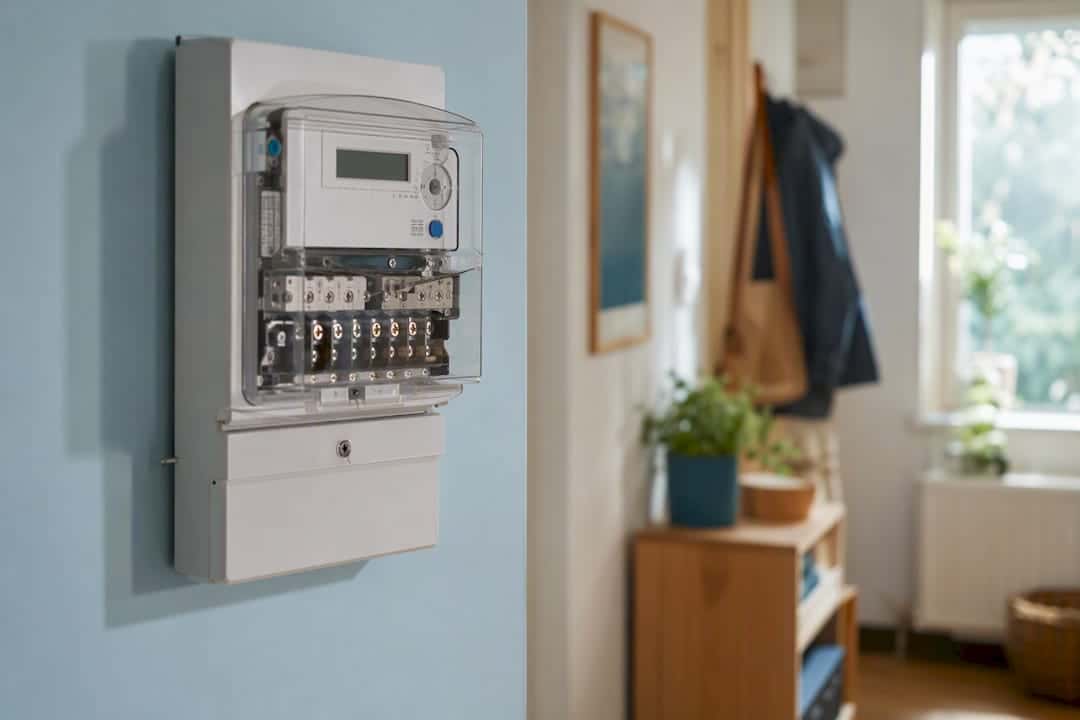
An electricity meter records the energy your home uses in kilowatt-hours (kWh) by measuring current and voltage over time. It multiplies the two to get power, then adds up that power minute by minute to produce a running energy total. Smart meters take this further, timestamping every reading and separating what your home imports from the grid and what it exports back to it.
That single mechanism, current and voltage sampled continuously and integrated over time, underpins every meter type on the market:
- Unit measured: kilowatt-hours, calculated as kilowatts (kW) multiplied by hours.
- Core principle: the meter senses current and voltage, then integrates them over time to produce a cumulative kWh total.
- Smart meter addition: timestamped readings, separate import/export registers, and automatic transmission to your supplier.
Key Takeaways
Electricity meters work by sensing current and voltage continuously and integrating them over time into a cumulative kWh total, with smart meters adding timestamps and separate import/export registers on top of that same core mechanism.
| Point | Details |
|---|---|
| Energy unit is kWh | Power (kW) multiplied by time (hours) gives the kilowatt-hour figure your bill is based on. |
| Mechanical meters use a spinning disc | Disc speed reflects instantaneous power; a gear train accumulates the total on the dials. |
| Smart meters add registers and comms | Import, export and half-hourly profiles transmit via HAN, WAN and the DCC under SMETS2. |
| Export registers enable fair solar payments | The UK’s gross export model under the Smart Export Guarantee pays exports separately from imports. |
| Most billing issues aren’t meter faults | Estimated reads, tariff changes and seasonal use explain most unexpected bill increases. |
| Professional assessment adds context | Homeenergymodel uses meter data alongside building details to produce Home Energy Model reports and EPCs. |
Table of Contents
- How do electricity meters work: the basics of energy measurement
- Electromechanical meters: the spinning disc explained
- How smart meters work: sensors, registers and reporting
- The electricity meter reading process, step by step
- Solar meters, exports and why the export register matters
- Meter accuracy, testing and what to do if something seems wrong
- Using your meter data to actually cut your bill
- Sources
How do electricity meters work: the basics of energy measurement
Power and energy are not the same thing, and mixing them up is where most household confusion starts. A watt measures power, the rate at which electricity is being used at any given instant. A kilowatt is 1,000 watts. A kilowatt-hour is the energy used when you run one kilowatt of power for one hour, and it’s the unit your supplier bills you on.
Here’s a worked example that makes the distinction concrete:
- A 2kW electric heater running for 3 hours uses 2 x 3 = 6kWh.
- A 100 watt light bulb (0.1kW) left on for 10 hours also uses 0.1 x 10 = 1kWh.
- Your meter doesn’t care how the power was used, a burst of high wattage for a short time or a trickle over hours can produce the same kWh figure.
This is the difference between instantaneous power and cumulative energy. Your in-home display or smart meter app often shows both: a live wattage figure that jumps around as appliances switch on and off, and a steadily climbing kWh total that never resets. The live figure tells you what’s drawing power right now. The cumulative figure is what actually lands on your bill, because tariffs are priced per kWh, not per watt. Understanding electricity consumption at this level, power multiplied by time equals energy, is the one fact that makes every other section of this guide make sense.
Electromechanical meters: the spinning disc explained
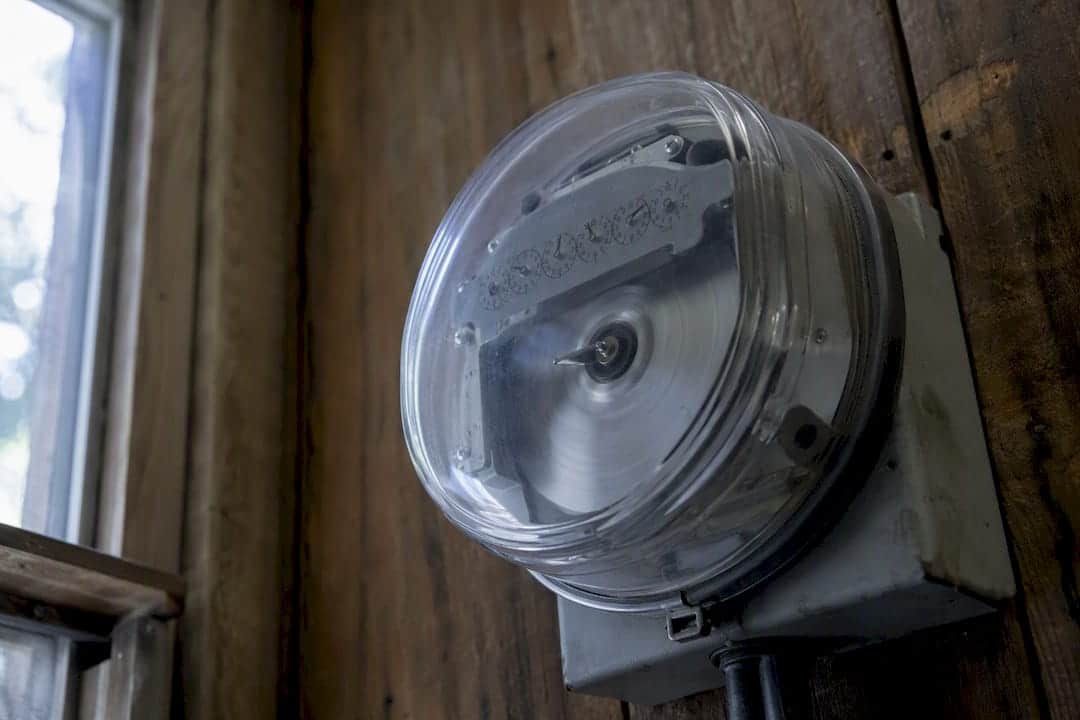
If your property still has an older analogue meter, you’ll recognise it by the small aluminium disc spinning behind the glass, known as a Ferraris disc. This is one of the oldest reliable pieces of measurement technology still in daily use, and the working principle of these meters hasn’t changed in over a century.
Two electromagnetic coils sit either side of the disc. One responds to voltage, the other to current. Together they induce eddy currents in the aluminium disc that create a rotating magnetic force, essentially a small induction motor whose speed is proportional to the power flowing through your wiring. Use more electricity, the disc spins faster. Use less, it slows down. A gear train connected to the disc’s spindle drives the dial pointers, converting thousands of disc rotations into the incrementing digits you read off the dial face.
- The disc’s rotational speed is directly proportional to instantaneous power, not cumulative energy.
- The gear train’s job is to translate that speed into an accumulating kWh count on the dials.
- Reading the dials means reading each pointer in the direction it’s numbered, some clockwise, some anticlockwise, and noting whether a pointer sits between two numbers.
These meters are mechanically robust and typically remain accurate for decades with no power supply of their own needed, they run entirely off the energy passing through them. Their main limitation is that they only show a cumulative total. There’s no way to see when electricity was used, which matters increasingly little for flat-rate tariffs but a great deal for anyone considering time-of-use pricing.
Pro Tip: If you’re reading a dial meter, write the digits left to right exactly as shown, ignoring the last dial if it’s marked in red or fractions, since suppliers usually bill in whole kWh.
How smart meters work: sensors, registers and reporting
Electronic and smart meters replace the spinning disc with solid-state sensing. A current transformer or shunt resistor measures current, a voltage divider measures voltage, and a microcontroller multiplies the two thousands of times per second to calculate active power, then integrates that into a running kWh figure. There’s no moving part to wear out, which is part of why electronic meters tend to hold their accuracy for longer than their mechanical predecessors.
What makes a smart meter “smart” isn’t the sensing itself, it’s what happens to the data afterwards. A typical smart meter holds several distinct registers:
- Cumulative import – total kWh drawn from the grid since installation.
- Cumulative export – total kWh sent back to the grid, relevant to solar households.
- Half-hourly import profile – usage broken into 48 daily time slots.
- Half-hourly export profile – the equivalent breakdown for exported electricity.
Getting that data from your meter to your supplier relies on a two-network structure. The Home Area Network (HAN) is a short-range wireless link connecting the meter to your in-home display and any smart appliances in the property. The Wide Area Network (WAN) carries data outward, in Great Britain, this runs through the Data Communications Company (DCC), a national infrastructure layer that securely routes meter data between households and energy suppliers.
Not every smart meter uses this infrastructure identically. Meters installed under the older SMETS1 standard sometimes lost smart functionality when a household switched supplier, reverting to manual reads. SMETS2 meters were built to fix that, they connect directly to the DCC rather than to a single supplier’s system, so smart functionality survives a switch. SMETS2 meters record separate import and export registers and transmit half-hourly data to a central system, which is what enables both time-of-use billing and accurate export payments for solar households.
When the connection drops, the meter doesn’t stop working. Smart meters continue logging usage locally even when they lose their signal, often called “dumb mode.” Consumption keeps accumulating correctly on the meter itself, it’s only the automatic transmission that pauses. Suppliers may fall back to estimated bills during this gap, so if your in-home display goes quiet, submitting a manual reading keeps your account accurate until the connection restores. Gas meters within the same smart system typically report even less frequently than electricity meters, a deliberate design choice to conserve battery life since gas meters aren’t mains-powered.
The electricity meter reading process, step by step
Whether you’re checking a dial meter, a digital display, or a smart meter’s menu, the process follows the same logic: identify the register, note the figure, and understand which direction the electricity is flowing.
- For dial meters: read each dial left to right, taking the lower number whenever the pointer sits between two digits, and ignore any dial marked in a different colour, as it usually represents a decimal fraction not billed separately.
- For digital and smart displays: press the display button to cycle through registers, look for labels such as “IMP” (import, what you’ve drawn from the grid) or “EXP” (export, what you’ve sent back), and note the register ID alongside the reading if your property has more than one meter.
- To calculate usage between two dates: subtract the earlier reading from the later one on the same register, the result is your kWh consumption for that period, and this works identically whether you’re checking import or export.
Keep a written or photographed record of every reading you take manually, with the date attached. If your smart meter has lost signal or you’re supplying a read to avoid an estimated bill, your supplier will usually ask for the exact register reading rather than a rounded figure, so precision here saves a query later. Households with export registers should record both import and export readings together, since a partial submission is one of the more common causes of a delayed or incorrect export payment.
Solar meters, exports and why the export register matters
Add solar panels to a property and the meter’s job gets more interesting. Electricity generated by your panels typically follows a set order: it’s consumed directly by whatever’s running in the house, then any surplus charges a battery if you have one, and only what’s left over after both of those flows out to the grid as an export.
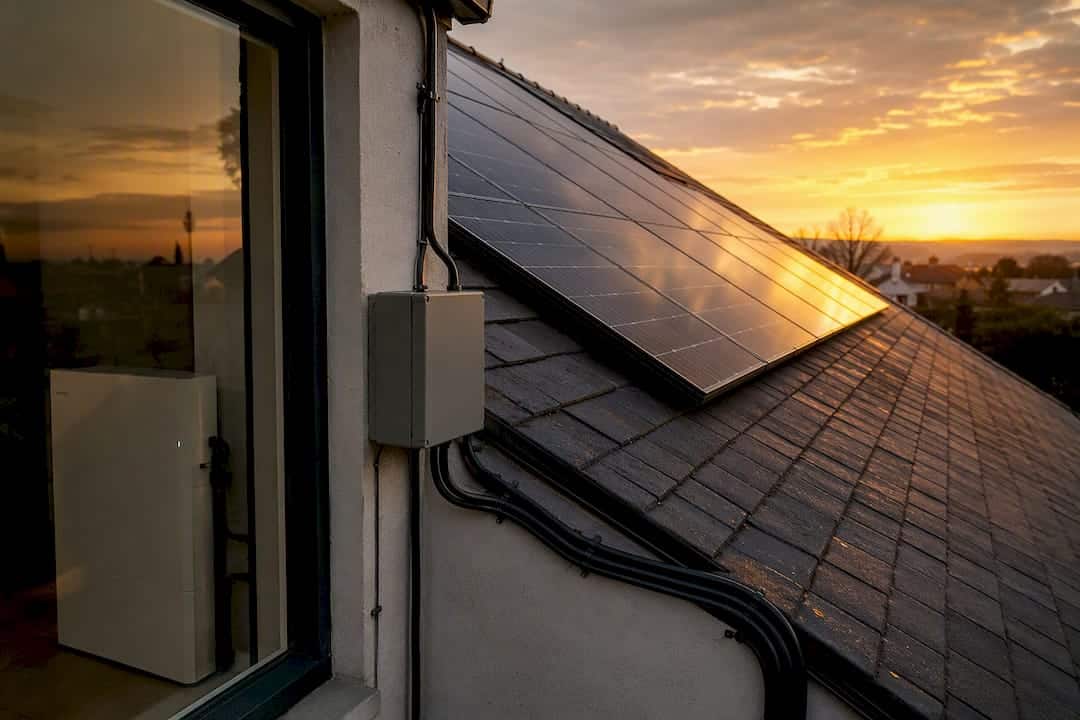
That export has to be measured separately from your import, and this is precisely what an export register is for. Without one, a supplier has no reliable way to credit you for electricity you’ve sent back rather than drawn in, and time-of-use billing becomes impossible to apply correctly, since import and export can happen at completely different times of day on the same tariff.
The UK’s approach here differs from schemes used elsewhere. Rather than net metering, where import and export are simply offset against each other, the UK uses a gross export model under the Smart Export Guarantee, recording and paying for exports separately rather than netting them against imports kWh for kWh. That distinction has real financial consequences: a household exporting during a low-import period gets paid for the full export volume, not just the difference between the two.
SMETS2 meters with export capability are what enable accurate SEG payments. If you’re installing solar or have an older meter, confirming your meter actually has an active export register, rather than assuming it does, is worth doing before you sign up to any export tariff.
- Solar generation flows in this order: self-consumption first, battery charging second, grid export last.
- Import and export registers must be separate for gross export billing to work correctly.
- SEG payments depend on your supplier receiving verified export readings, not estimated ones.
Meter accuracy, testing and what to do if something seems wrong
Every meter used for billing in the UK has to meet approved design standards before it can be installed. These requirements sit within the Measuring Instruments Regulations and related statutory frameworks governing gas and electricity meters, and they exist specifically so that suppliers and households can trust the figures a meter produces. Meters aren’t self-certifying, they’re built and approved to a defined national standard before they ever reach a wall.
Most unexpectedly high bills aren’t caused by a faulty meter at all. Estimated readings that later get corrected, a tariff change you didn’t clock, or simply a colder month with the heating running longer are far more common culprits than a genuine measurement fault.
If you still suspect your meter itself is wrong:
- Contact your supplier first and ask them to investigate the specific reading in question.
- Request a check meter or independent test if the supplier’s initial response doesn’t resolve your concern.
- Expect the outcome to favour the meter: most meters tested independently are found to be working correctly, so it’s worth ruling out billing errors and usage changes before assuming the hardware is faulty.
Using your meter data to actually cut your bill
Once you understand how electricity meters function, the data they produce stops being an abstract number and becomes a genuinely useful diagnostic tool.
Start with your in-home display or supplier app during a period when you know exactly what’s running. Switch on a kettle, an oven, or an immersion heater one at a time and watch the live wattage jump, this quickly tells you which appliances are your real energy drains, rather than guessing. Older fridges, tumble dryers, and electric showers are frequent surprises here, often pulling far more than homeowners expect.

Half-hourly data, available from any SMETS2 smart meter, opens up a second use case: understanding whether a time-of-use tariff would actually save you money. Before switching, check whether your usage pattern genuinely shifts to off-peak hours, a tariff that rewards overnight use only helps if you can actually move usage there, running a washing machine on a timer or charging an EV overnight, for instance.
For solar households, the checklist is slightly different:
- Confirm your meter has an active export register, not just an import one.
- Check your supplier is receiving export readings automatically rather than requiring manual submission.
- Verify your SEG tariff rate and confirm it’s being applied to the correct export register.
Pro Tip: Compare a week of half-hourly data against your actual routine, a spike at 3am that you can’t explain is worth investigating, since it often points to a fridge-freezer fault or an appliance stuck in a cycle. For a broader set of household changes worth making once you’ve spotted your patterns, this guide to using less electricity at home covers the habits that tend to move the needle most.
Why meter literacy matters
Homeenergymodel spends a lot of time explaining regulatory frameworks like the Home Energy Model, but none of that assessment work means much if a homeowner can’t first read their own meter and understand what it’s telling them. Meter data is the rawest, most honest signal you have about how a property actually performs, often more revealing than an appliance’s rated efficiency.
For readers who want to go beyond self-checks, whether that’s landlords preparing for compliance or homeowners planning upgrades, a professional assessment can translate that raw meter data into a structured efficiency plan.
Turning your meter readings into a professional efficiency plan
Reading your own meter tells you what’s happening. A professional energy assessment tells you why, and what to do about it. Homeenergymodel’s assessors use your actual meter data, alongside building fabric, heating system, and occupancy details, to produce Energy Performance Certificates and Home Energy Model reports that go well beyond a supplier’s monthly estimate.
Where self-monitoring flags a spike or an unexplained cost, a proper assessment identifies the underlying cause, whether that’s poor insulation, an inefficient heating system, or a badly sized solar setup, and sets out measures ranked by actual impact. This matters most for landlords and property investors facing upcoming Future Homes Standard requirements, where guesswork isn’t a viable compliance strategy.
If your meter data has raised questions you can’t answer alone, request a home energy assessment and get a tailored efficiency plan based on your property’s real performance, not just its readings.
Sources
- How smart meters and solar PV interact (research resource)
- Solar and grid import explained: net vs gross, and what your bill shows