

Setting a room thermostat to hold a steady, modest temperature and using timed setbacks is the single most effective behaviour for cutting fuel use and improving a property’s EPC or Home Energy Model (HEM) score. The Energy Saving Trust recommends a setpoint of 18–21°C for most UK homes, and dropping the thermostat by just 1°C — from 22°C to 21°C — can save around £120 a year in Great Britain. That figure alone makes correct thermostat use one of the cheapest efficiency measures available.
For vulnerable occupants, the NHS and UK Health Security Agency advise a minimum of 18°C in rooms that are regularly used, particularly for older people and young children.
Immediate actions to take now:
- Set a comfort temperature of 18–21°C and a lower setback temperature (around 16°C) for unoccupied periods and overnight.
- Programme the heating to run only when the property is occupied, using at least two or three periods per day.
- Fit thermostatic radiator valves (TRVs) to rooms that do not need full heat, such as spare bedrooms.
- Keep the thermostat clear of curtains, radiators, and direct sunlight so it reads the room accurately.
Pro Tip: Never crank the thermostat above the target temperature expecting the room to heat faster. A thermostat controls when the boiler stops, not how quickly it runs.
Key takeaways
Correct thermostat use, full control sets, and documented commissioning deliver the most reliable energy savings and EPC/HEM improvements available at low cost.
| Point | Details |
|---|---|
| Set a modest comfort temperature | Target 18–21°C; each 1°C reduction from 22°C saves around £120 a year in Great Britain. |
| Programme timed setbacks | Use at least two or three daily periods and set setback to around 16°C when unoccupied or overnight. |
| Fit and use TRVs correctly | Zone unused rooms with TRVs, but keep the thermostat room’s TRV fully open. |
| Commission and document | Record setpoints, programmer settings, and installer notes; assessors need this evidence for EPC/HEM credit. |
| Verify PCDB for smart controls | Advanced systems must be listed in the Product Characteristics Database to receive EPC credit beyond a basic thermostat. |
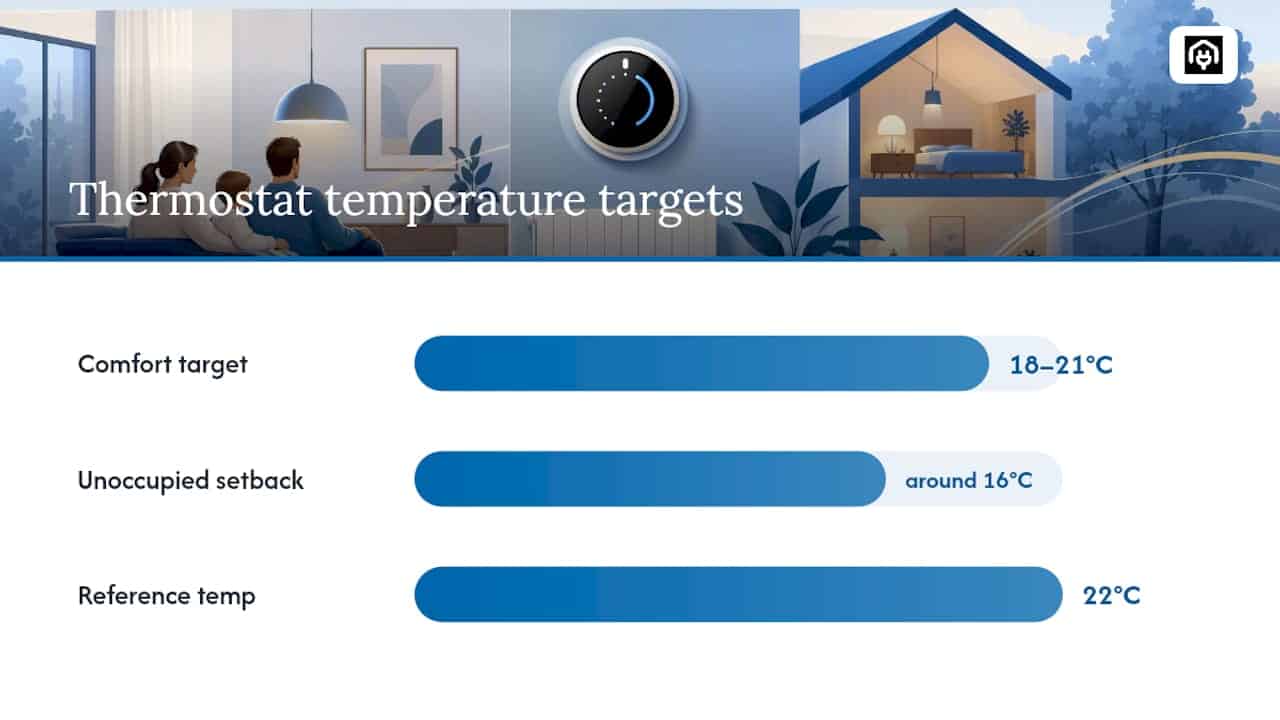
Table of Contents
- What does each heating control actually do?
- How to set temperatures and schedules in three steps
- How to commission and test your heating controls
- How occupant behaviour affects real-world savings
- How thermostats and TRVs affect your EPC and HEM score
- Common thermostat mistakes and how to fix them
- An assessor’s perspective on what actually matters
- Sources
What does each heating control actually do?
Understanding which control does what prevents the common mistake of adjusting the wrong setting. DECC guidance defines the full set of controls and notes that installing and correctly using all of them could save around £80–£165 a year.
- Room thermostat: Measures air temperature and signals the boiler to stop once the setpoint is reached. It controls whole-house temperature unless zoning is in place.
- Programmer or timer: Sets the on/off schedule for heating and hot water independently. Without one, the boiler runs continuously or relies on manual switching.
- Thermostatic radiator valves (TRVs): Fitted to individual radiators, TRVs restrict flow when a room reaches its local setpoint. They provide room-by-room zoning without a separate thermostat in every room.
- Boiler thermostat and flow temperature: Controls how hot the water leaving the boiler is. Lower flow temperatures (55–60°C for modern condensing boilers) improve efficiency; higher temperatures waste energy. For hot-water cylinders, the stored water should reach 60°C to prevent legionella.
- Smart controls: Add remote scheduling, occupancy detection, and learning algorithms via a mobile app. Benefits are real but behaviour-dependent; the technology does not save energy on its own.
For a fuller technical overview of how these components interact, see understanding home heating systems in energy efficiency.
How to set temperatures and schedules in three steps
Step 1: Choose your setpoints
Start the comfort temperature at 21°C. After 48–72 hours, drop it by 1°C and assess comfort. Repeat until the lowest comfortable level is found. Set the setback temperature at around 16°C for unoccupied or sleeping periods; Citizens Advice advises against going below 16°C to avoid damp and health risk.
Step 2: Programme a daily schedule
- Identify the occupied periods on weekdays and weekends separately.
- Set a morning warm-up period (typically 30–60 minutes before occupants rise).
- Set a daytime period if the property is occupied; otherwise programme a setback.
- Set an evening comfort period and a night setback.
- Use a holiday or away mode for absences longer than 24 hours.
For app-enabled thermostats, replicate this schedule in the app and enable geofencing or occupancy rules where available. Check that the app schedule matches any physical programmer settings to avoid conflicts.
Step 3: Zone with TRVs and check the boiler settings
- Turn TRVs down to position 2–3 in rooms used infrequently.
- Leave the TRV in the room containing the main thermostat fully open; closing it there causes the thermostat to misread the house temperature.
- Confirm the boiler flow temperature is set appropriately for the system type.
- Verify that the hot-water cylinder thermostat is set to 60°C. For guidance on timing adjustments when flow temperature is reduced, see the water heating efficiency guide for UK rental properties.
Pro Tip: After changing a setpoint, wait a full 48–72 hours before judging comfort. Thermal mass in walls and floors means the house takes time to stabilise at the new temperature.
How to commission and test your heating controls
Good commissioning is more than switching the system on. UK guidance expects installers to set timers, confirm that the thermostat and TRVs interact correctly, provide clear operating instructions to householders, and record the configuration for future assessors.
What a competent installer should confirm:
- Correct thermostat location (internal wall, away from draughts, heat sources, and direct sunlight).
- TRVs fitted to all radiators except the one in the thermostat room.
- Programmer set to the household’s actual occupied schedule.
- Hot-water cylinder thermostat confirmed at 60°C.
- Written handover notes left with the householder.
Simple in-home tests anyone can run:
- Block the thermostat sensor briefly with a warm hand. The boiler should fire within a few minutes if the room is below setpoint, and stop once the setpoint is reached.
- Check that the boiler does not run continuously outside programmed periods.
- Run a hot tap after the hot-water period and confirm the water reaches approximately 60°C.
The gap between partial and full control sets is where most commissioning value is lost.
Pro Tip: Photograph the programmer settings and note the thermostat setpoints after commissioning. An EPC assessor may ask for this evidence, and it takes two minutes to record.

How occupant behaviour affects real-world savings
The thermostat setting matters less than how consistently occupants follow it. Raising the setpoint when cold and forgetting to lower it again is the most common pattern that erodes savings.
- Avoid manual overrides that leave the heating running in empty rooms.
- Update the schedule when routines change seasonally or when the property is let to new tenants.
- Use holiday or away modes rather than turning the system off entirely, which risks frozen pipes and damp.
Smart controls simplify these habits by automating schedule changes and enabling remote adjustment via a mobile app. Government-backed field trials suggest smart heating controls can reduce gas use by approximately 5.0% ± 3.9%, but that range reflects how much behaviour varies between households. A systematic review found low to variable evidence quality for most control types, with moderate evidence that zonal controls save energy when correctly commissioned. The technology is not a substitute for sensible scheduling.
For landlords managing multiple properties, standardising the default schedule across similar tenancies reduces the chance of tenants inheriting a poorly configured system. Record any deviations from the standard schedule as inputs for HEM assessments. More detail on which smart technologies perform best is available in the smart homes energy efficiency guide.
Pro Tip: The single most effective smart-control feature is not learning algorithms but the away mode. A thermostat that drops to setback automatically when the property is empty saves more reliably than one that learns a schedule it is rarely allowed to follow.
How thermostats and TRVs affect your EPC and HEM score
EPC assessors credit properties that have a room thermostat, a programmer, and TRVs fitted to radiators. Each control type contributes to the heating-system efficiency score within the Standard Assessment Procedure (SAP) or its successor, the Home Energy Model (HEM). Adding TRVs and a programmed thermostat to a property that previously had neither can produce a modest but meaningful uplift in the EPC band.
The PCDB (Product Characteristics Database) is where advanced heating-control products must be registered for an assessor to credit them. A smart thermostat that is not listed there may receive only the standard credit for a basic programmable thermostat, regardless of its actual features. Always confirm PCDB registration with the assessor before purchasing hardware specifically for rating improvement.
Practical guidance from EPC assessors confirms that documentation matters as much as the hardware itself. An assessor who cannot verify that TRVs are fitted or that the system is commissioned correctly may not be able to award the relevant credit.
What an assessor will want to see:
- Installation notes or product documentation for the thermostat and TRVs.
- Evidence that the programmer is set and operational.
- Commissioning record or handover notes from the installer.
- PCDB product reference for any advanced smart-control system.
Pro Tip: For landlords preparing for a new EPC under HEM, fitting TRVs and a programmable room thermostat before the assessment is one of the lowest-cost ways to demonstrate improved heating controls. Keep the receipts and installation notes.
For a full explanation of how HEM handles heating controls in property assessments, visit Home Energy Model explained: impact on UK properties.
Common thermostat mistakes and how to fix them
Most heating problems trace back to a small number of recurring errors. Running through this checklist before calling an engineer saves time and money.
- Blocked or poorly placed thermostat: A thermostat behind a sofa, near a radiator, or in direct sunlight reads the wrong temperature. Move it or clear the obstruction.
- Programmer set to wrong day type: Many programmers distinguish weekday and weekend schedules. Confirm both are set correctly, and check AM/PM settings if the system uses a 12-hour clock.
- Holiday mode left active: A thermostat stuck in away mode will not heat the property to comfort temperature. Check the mode setting first if the heating seems unresponsive.
- TRVs closed in occupied rooms: A TRV turned to the frost or off position in a lived-in room prevents that radiator from contributing heat. Set occupied rooms to position 3–4.
- TRV closed in the thermostat room: This causes the thermostat to read an artificially low temperature and keeps the boiler running longer than necessary.
- Boiler flow temperature set too high: Flow temperatures above 70°C on a modern condensing boiler reduce efficiency. Check the boiler manual for the recommended range.
- Hot-water cylinder below 60°C: A cylinder thermostat set below 60°C creates a legionella risk. Raise it and confirm with a thermometer at the tap after a full heating cycle.
An assessor’s perspective on what actually matters
The gap between what heating controls can do and what they actually deliver in practice is wider than most property owners expect. Properties regularly come to assessment with TRVs fitted but turned to frost, programmers set to a schedule from a previous tenancy, and smart thermostats installed without PCDB registration. Each of these is a missed opportunity that costs nothing to fix once identified.
The practical priority order for landlords is straightforward: fit the basics first (room thermostat, programmer, TRVs), commission them correctly, document the settings, and then consider smart add-ons if the budget allows. A well-commissioned basic system consistently outperforms a poorly commissioned smart one. Before any assessment, verify that advanced products are listed in the PCDB; without that registration, the assessor’s hands are tied regardless of what the hardware can do.
Sources
The following authoritative UK sources underpin the guidance in this article:
- The most economical ways to use your central heating – Energy Saving Trust
- Evaluating smart thermostats and learning systems (BIT executive summaries)
- Explaining the most common heating controls (DECC factsheet)
- Save money heating your home – Citizens Advice